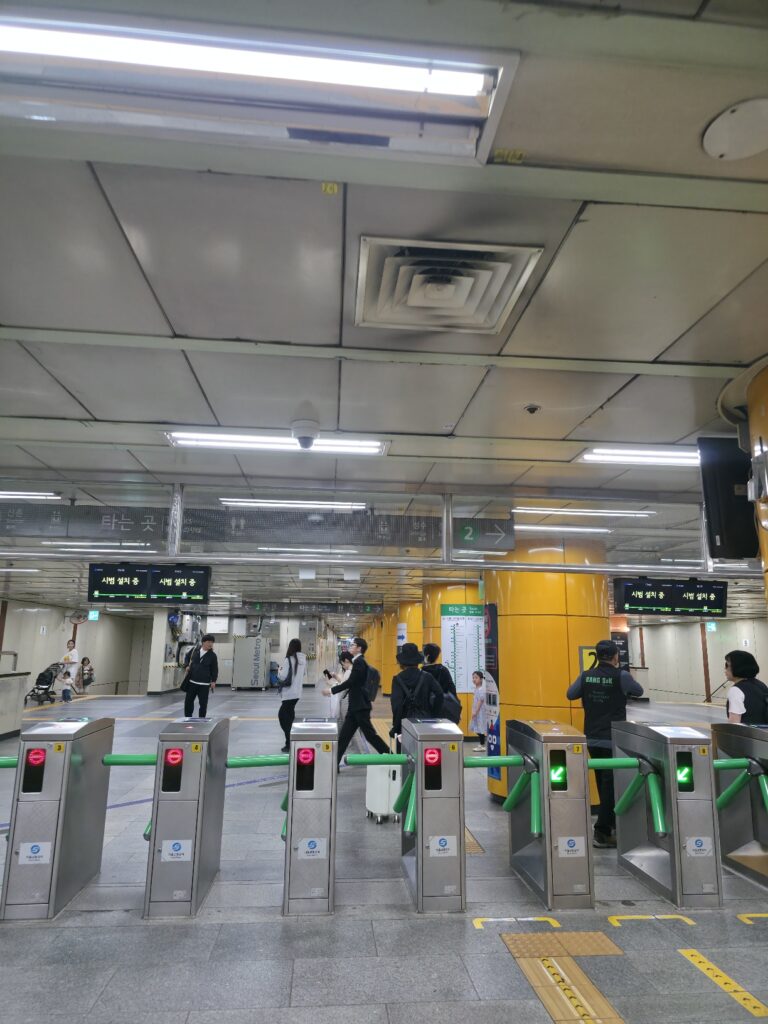
Apple Pay T-money Korea sounds like the moment Seoul finally becomes easier for foreign tourists, but the details still matter.
For years, one of the strange things about traveling in Korea was that the country felt extremely modern, yet public transportation still required a small local ritual. You landed at Incheon Airport, found a convenience store or vending machine, bought a T-money card, added cash, and then used it for the subway, buses, and sometimes taxis. It worked well once you understood it, but it was not exactly intuitive for first-time visitors.
That was always the funny contradiction of Seoul. The subway system is clean, fast, affordable, and one of the easiest ways to move around the city. But the payment setup could feel old-fashioned if you came from places where you simply tap a contactless credit card, Apple Pay, or Google Pay at the gate.
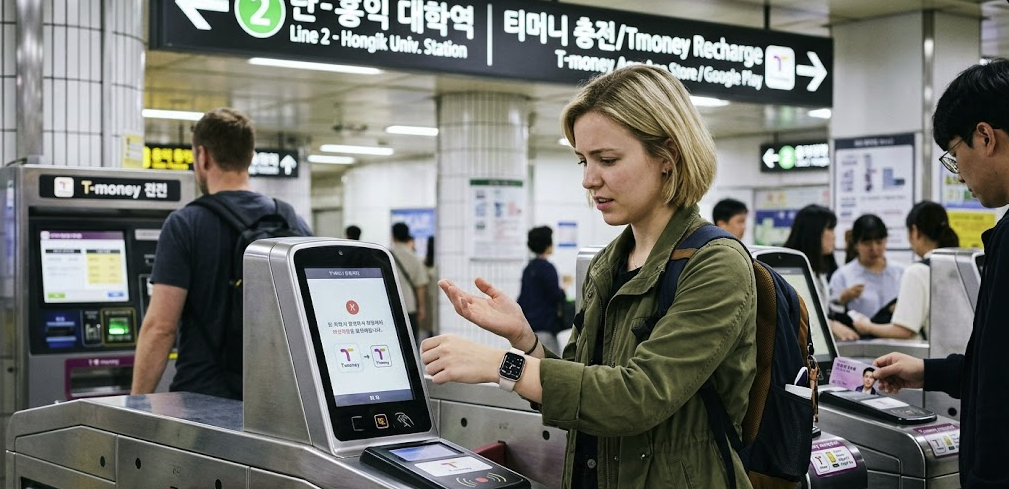
Now, Apple Pay T-money is changing that conversation for iPhone users. Foreigners and tourists can use Apple Pay T-money to ride subways and buses in Korea, and the Mobile Tmoney app has added support that makes it much more accessible to short-term visitors than before. But this does not mean every foreign card works everywhere, or that Seoul has fully become a London-style “tap your own bank card at the gate” city overnight. Korea JoongAng Daily reported in March 2026 that the Tmoney iOS app update added support for cards issued outside Korea and a “Foreigner” button that bypasses sign-in and authentication requirements for tourists and short-term residents.
So yes, this is a real improvement. But if you are coming to Seoul in 2026, you still need to understand what has changed, what has not changed, and when a physical T-money card may still be the simpler backup.
Quick Answer: Can Tourists Use Apple Pay T-money in Korea?
Yes, many foreign tourists can now use Apple Pay T-money Korea on compatible iPhones or Apple Watches to ride buses and subways in Korea. The key change is that the Mobile Tmoney app now supports a foreigner-friendly setup, allowing tourists and short-term residents to create and top up a virtual T-money card through Apple Pay without the usual Korean sign-in process. However, this is still different from tapping a foreign Visa or Mastercard directly at subway gates. You are using a T-money transit card inside Apple Wallet, not ordinary open-loop bank card payment. Card support, app settings, and top-up options may also vary, so travelers should still keep a backup card or some cash.
What Actually Changed in 2026?
The important change is not just “Apple Pay works in Korea.” Apple Pay itself has existed in Korea for a while, but Korean transit payment was more complicated for visitors.
The real update is about foreigners being able to use Mobile Tmoney more easily on iPhone.
According to Korea JoongAng Daily, Tmoney updated its iOS app in March 2026 so that foreign users can top up Tmoney credits with non-Korean cards through Apple Pay. Before that, Apple Pay Tmoney was much less useful for tourists because top-ups were tied to Korean options such as bank accounts, Hyundai Card-issued credit cards, or Hyundai Cards registered on Apple Pay.
This is why some older information online may now feel confusing. A 2025 guide might say that Apple Pay T-money is not useful for tourists. A 2026 update may say that it finally works. Both may have been true at different times.
For travelers, the practical meaning is simple: if you have a compatible iPhone, the Mobile Tmoney app, and a supported card in Apple Pay, you may be able to create and use a virtual T-money card without buying a plastic card first.
That is a big shift for Seoul travel.
This Is Not the Same as Tapping Your Foreign Card at the Gate
This is the part many visitors misunderstand.
Apple Pay T-money does not mean you can necessarily walk into Seoul Station, tap your normal overseas credit card at the subway gate, and ride like you might in London, Sydney, Singapore, or New York.
You are still using the T-money system.
Think of it this way:
You are not paying the subway gate directly with your bank card.
You are using your bank card through Apple Pay to add value to a T-money transit card.
That T-money card lives inside your iPhone or Apple Watch.
Then you tap that T-money card at the subway gate or bus reader.
That difference matters.
Seoul is working toward a broader open-loop payment system, where international visitors can eventually ride buses and subways directly with overseas credit cards. The Seoul Metropolitan Government announced plans to gradually introduce EMV-based open-loop transit payments, with a step-by-step transition between 2025 and 2030.
But in 2026, travelers should still think in terms of T-money first.
Apple Pay makes T-money easier for iPhone users. It does not erase the T-money system.
Apple Pay T-money vs Physical T-money Card
For first-time visitors, the real question may not be “Does it work?” but “Should I use it?”
Here is the practical comparison.
| Option | Best for | Main advantage | Main risk |
|---|---|---|---|
| Apple Pay T-money | iPhone users who want a digital card | No need to carry a plastic transit card | App setup, card support, battery, or device issues |
| Physical T-money card | Most first-time visitors | Simple, familiar, works without phone battery | Usually needs cash or supported reload methods |
| Single-journey ticket | Occasional subway rides | Useful for one ride | Less convenient for transfers and daily travel |
| Future open-loop card payment | Future tourists | Tap foreign card directly | Not fully rolled out yet |
For a confident iPhone user, Apple Pay T-money can be very convenient. You can keep your transit card in your phone, check your balance, and avoid carrying another small plastic card.
But if you are arriving late at night, traveling with family, using an older phone, or worried about app setup, a physical T-money card is still a very safe option. It is boring, but boring is sometimes good when you are standing in a subway station with luggage.
What Devices Do You Need?
The official MobileTmoney App Store listing describes the app as an all-in-one transit card for buses and subways across Korea, allowing users to tap an iPhone or Apple Watch and ride. It also states that the app requires iPhone XS/XR or later with iOS 17.2 or later, or Apple Watch Series 6 / SE 2nd generation or later with watchOS 10.2 or later.
In practical terms, this means not every iPhone will work.
Before relying on Apple Pay T-money for your Seoul trip, check:
- whether your iPhone model is supported
- whether your iOS version is updated
- whether Apple Pay is active in your Apple Wallet
- whether your card is accepted for top-up
- whether you can access the MobileTmoney app in your App Store region
- whether your Apple Watch, if used, meets the requirement
This sounds like a small detail, but it matters. Seoul subway gates are fast. People move quickly. You do not want your first experiment to happen during rush hour at Gangnam Station, Hongdae Station, Seoul Station, or Jamsil Station.
Set it up before your first serious subway ride if possible.
The Card Problem: Does Visa Work?
This is where travelers need to be careful.
Korea JoongAng Daily reported that the updated app accepted Mastercard, American Express, and UnionPay at the time of its March 2026 report, while Visa support was unavailable as of press time.
That detail is important because many international travelers rely mainly on Visa.
If you only carry one Visa card, do not assume you are fully covered. App support can change, and the most accurate answer is always inside the current app at the time you travel. But for planning, it is smart to bring more than one payment option.
A good Seoul travel setup would be:
- one Visa card
- one Mastercard or another supported card if possible
- a small amount of Korean won
- a backup physical T-money card if needed
- your phone fully charged before long subway trips
This may sound excessive, but Korean travel becomes much easier when you do not depend on one perfect payment method.
How Apple Pay T-money Feels in Real Seoul Life
The reason this update matters is not just technical.
It changes the feeling of arriving in Seoul.
For a first-time visitor, transportation is one of the first moments when Korea either feels smooth or confusing. You are tired from a flight. You may be carrying luggage. You may not know whether you are going to Hongdae, Myeongdong, Gangnam, Itaewon, Jamsil, or Seoul Station. You may not know yet how subway transfers work, how far exits are from each other, or why a station can feel like an underground city.
In that situation, removing one small step matters.
If you can create a transit card on your iPhone and top it up through Apple Pay, you may skip the plastic card purchase moment. You may avoid looking for cash immediately. You may feel like Seoul is finally meeting visitors where they are.
But Seoul still has its own logic.
You still need to understand tap-in and tap-out habits. You still need to watch your balance. On buses, you should tap when getting off, especially if you are transferring. You still need to know that subway exits matter. And you still need to remember that digital convenience depends on battery, network, and app reliability.
Apple Pay T-money makes the door easier to open. It does not teach you the whole house.
Where Can You Use Apple Pay T-money?
The MobileTmoney listing describes it as usable for buses and subways across Korea with iPhone or Apple Watch.
For most travelers, the main use will be:
- Seoul subway
- city buses
- airport-area transit connections where T-money is accepted
- some taxis
- some convenience stores or T-money partner locations
Still, the safest assumption is to use it primarily as a transportation card. If it works at a convenience store, that is a nice extra. But do not treat it as your only payment method for food, shopping, hotels, or emergency spending.
In Korea, payment systems often overlap but do not completely replace each other. A foreign credit card, T-money, Kakao Pay, Naver Pay, Apple Pay, and cash may all exist in the same city, but each one has different rules.
That is why many foreigners feel Korea is both very convenient and strangely fragmented.
What About Android Users?
This article is focused on Apple Pay T-money, but Android users should not assume the exact same setup applies.
Seoul’s official open-loop payment announcement noted that Android users could already reload transit cards using overseas cards through Tmoney’s Korea Tour Card app, while the city was working on Tmoney via Apple Pay for iPhone users.
In other words, Android and iPhone users may have different paths.
If you use Samsung Galaxy or another Android phone, check the latest Korea Tour Card or Tmoney options before you travel. Korea is a Samsung-heavy country, so Android users are not ignored here. But the setup may not look the same as Apple Pay T-money.
For SEO purposes, this distinction matters because many travelers search “Apple Pay Korea subway” when what they really want is “How do I pay for public transportation in Korea with my phone?”
The answer depends on your device.
Should You Still Buy a Physical T-money Card?
For many travelers, yes, at least as a backup.
Apple Pay T-money is exciting because it reduces friction for iPhone users. But a plastic T-money card is still simple, cheap, and widely understood. You can buy one at many convenience stores and use it across buses and subways. If your phone battery dies, the app fails, your card is not supported, or your travel companion needs help, the physical card becomes useful immediately.
This is especially true if you are traveling with children, older parents, or a group. One person’s iPhone setup does not solve the whole group’s transit experience.
A physical card also has psychological value. When you are new to Seoul, it is sometimes comforting to have a separate object that only does one thing: transportation. You tap it, it works, and you move.
So my practical advice is this:
If you are comfortable with digital transit cards, try Apple Pay T-money.
If you want the simplest possible first trip, buy a physical T-money card.
If you are staying longer, use both until you know which one feels better.
Common Mistakes Tourists Should Avoid
The first mistake is assuming Apple Pay T-money means direct foreign-card tap payment at every subway gate. It does not necessarily mean that. You are still using T-money.
The second mistake is relying on only one foreign card. If your card network is not supported for top-up, or if a payment fails, your transportation plan becomes stressful.
The third mistake is setting it up at the last second. Do not wait until you are standing in front of a subway gate during rush hour.
The fourth mistake is forgetting about phone battery. A physical transit card does not need charging. Your iPhone does.
The fifth mistake is ignoring bus tap-off rules. In Korea, tapping when you get off the bus can matter for transfers and fare calculation. Follow what locals do: tap when boarding, and tap again when exiting.
The sixth mistake is assuming Korea’s payment systems work like your home country. Seoul may look futuristic, but its transit payment logic is still local. Learn the local logic and the city becomes much easier.
Apple Pay T-money and Seoul’s Bigger Direction
The bigger story is that Seoul knows foreign tourists have struggled with transport payment.
The city has publicly acknowledged that travelers have faced inconvenience because they needed to purchase and reload transit cards, often with cash. Seoul’s open-loop payment plan is meant to improve public transportation convenience for international visitors by gradually moving toward EMV-based payment systems that can accept overseas credit cards directly.
This matters because Seoul is competing as a global tourist city.
Foreign visitors compare Seoul not only with other Korean cities, but with Tokyo, Singapore, Taipei, Hong Kong, Bangkok, London, Paris, and New York. If they can use their phone or card easily in those cities, they expect similar convenience in Seoul.
Apple Pay T-money is one step in that direction.
It may not be the final version of tourist-friendly transit payment in Korea, but it is a meaningful bridge between the old traveler ritual of buying a plastic card with cash and the future system of tapping your own international card at the gate.
Final Thoughts: Is Apple Pay T-money Worth Using?
Apple Pay T-money Korea is worth trying if you are an iPhone user visiting Seoul in 2026, especially if you like keeping transit cards inside your phone and you have a supported card for top-up.
It can make the first days of travel feel smoother. It can reduce the need to find cash immediately. It can help Seoul feel closer to other major global cities where phone-based transit payment is normal.
But it is not magic.
You are still using T-money. You still need a compatible device. You still need a supported payment card. You still need to understand Seoul’s transit habits. And you should still keep a backup plan, especially if this is your first time in Korea.
That is the most honest way to understand the update.
Apple Pay T-money does not completely remove the learning curve of Seoul transportation. But it does make the curve less steep for many foreign visitors. And in a city where the subway can take you almost anywhere, that small improvement can change the feeling of your whole trip.